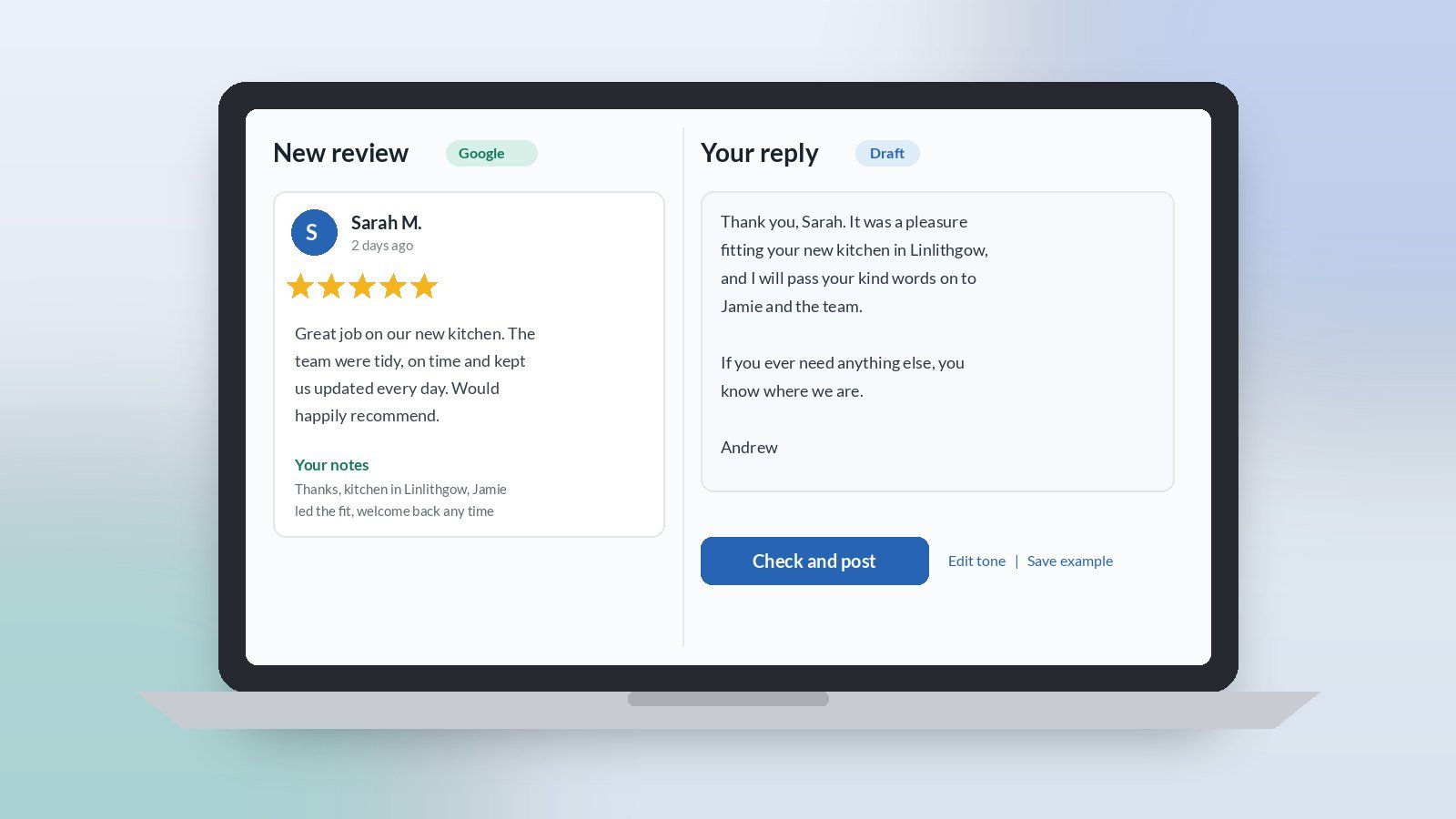
AI for Google review replies is one of the easiest practical wins for owner-led UK SMEs. Reviews arrive at awkward times, and a thoughtful reply often waits until the moment has passed. A light AI assist can turn three quick notes into a warm, specific reply in your own voice. You read it, fix anything that is not right, and post it the same day.
For small firms in Scotland and across the UK, a short, genuine reply shows people the business is run by someone who cares. It does not need to be clever. It needs to be prompt, polite and real.
Why use AI to reply to Google reviews?
Because the hard part is finding the words, not knowing what you want to say. You already know the customer and the job. What takes the time is writing something that does not sound copied and pasted. A first draft removes that friction, and you stay in charge of every word that goes out under your business name.
What does AI need to write a good review reply?
Keep it to three notes:
- What the review said. Paste the review text, or sum it up in a line.
- One real detail. Something specific about the job, such as the kitchen fitted last month or the team member who helped. This is what stops a reply sounding generic.
- What you want to say. A thank you, an apology, an offer to put something right, or an invitation to get in touch.
Then ask for a short reply in plain English, signed off with your first name. If talking is quicker than typing, our guide to speech-to-text for busy SME owners shows how to dictate the notes between jobs.
How do you reply to a negative review with AI?
Slowly, and with you firmly in charge. Write your notes when you have calmed down, not in the first ten minutes. Ask for a reply that thanks them for the feedback, acknowledges the problem without arguing, and offers a clear next step, such as a phone number or email to sort it out privately.
Then read the draft as if you were the customer. Cut anything defensive. Never let the reply admit fault you do not accept, make promises you cannot keep, or go into detail about the job in public.
What should you check before a reply goes live?
- The facts. Make sure the detail it mentions is right. A reply that gets the job wrong is worse than no reply.
- Your voice. Remove anything that sounds like a big corporate, such as “we value your feedback” repeated in every reply. Vary the openings.
- Personal data. Do not add the customer’s address, job value or anything they did not mention themselves. Check your AI tool’s data settings before you paste reviews in.
- Length. Two to four sentences is usually enough. People skim replies.
- The ask. If you invite contact, give one clear route.
Can AI help you get more reviews in the first place?
Yes, for the wording. It can draft a short, friendly message to send when a job is finished, asking happy customers to leave a review and including your review link. Keep it honest and simple, and ask everyone the same way rather than picking only the customers you expect to be kind. Our guide to AI for email replies uses the same short-notes method.
Never use AI to write reviews for your own business or ask anyone to post fake ones. Keep it to replies and requests.
How should you trial it?
For the next month, reply to every new review within a day. Write the three notes, let the tool draft the reply, check it against the list above and post it. Save the replies you are happiest with as examples, so the tool learns your tone from your own best work.
Signs it is working: reviews get a reply the same day, each reply mentions something real, and it takes a couple of minutes. Signs it is not: you rewrite most of it. The fix is usually a better example of your voice, not a different tool.
Want help picking the right first jobs for AI?
Accendo Intelligence runs a half-day AI Efficiency Workshop for owner-led firms, from £625 for a small group (typically 3 to 5 people). We map where your week goes, pick the first admin jobs worth a light AI assist, and leave you with a short, ordered plan. Scotland first, UK-wide remote. No tool roundup and no strategy theatre.
This week, open your Google Business Profile and find the oldest review without a reply. Write three notes. That is most of the reply done.
Leave a Reply