Author: andrew@accendo.org.uk

  • AI for Social Media Posts: A Practical Guide for UK SMEs

    AI for Social Media Posts: A Practical Guide for UK SMEs

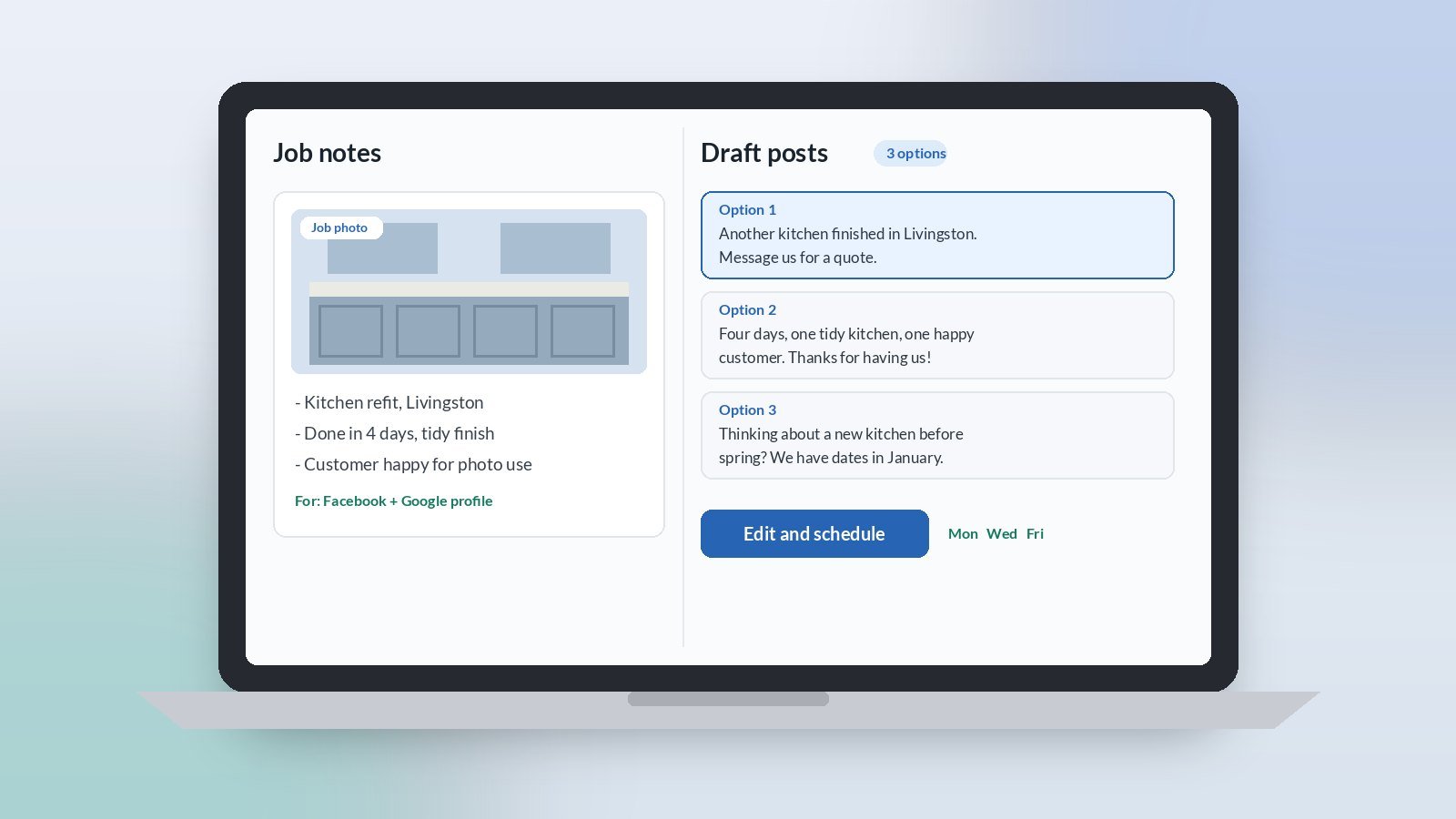
    AI for social media posts is one of the easiest practical wins for owner-led UK SMEs. Most small firms know they should post more, but the week fills up and the page goes quiet for a month. A light AI assist can turn the photos and notes you already have from real jobs into a week of short, honest posts. You check them, fix the wording, and schedule them in one sitting.

    For small businesses in Scotland and across the UK, this is not about going viral. It is about showing customers you are busy, local and good at what you do, without it eating your Friday afternoon.

    Why use AI for social media posts?

    Because the hard part is not the posting, it is the blank box. You have the material: finished jobs, a new team member, a supplier delivery, a tip a customer asked about. AI is good at turning a few rough notes into a short post with a clear first line. You stay in charge of what is true and what goes out.

    What should a small business post about?

    Stick to real things that happened this week. Good, low-effort topics are:

    • A finished job, with a before and after photo (with the customer’s permission)
    • A quick tip that answers a question customers often ask
    • A team member, a new van, or a new piece of kit
    • A thank you to a customer or a local supplier
    • A reminder of the seasonal jobs you do, such as winter checks or end-of-year bookings

    If you are not sure where your time goes each week, our guide to mapping where the week goes helps you decide whether social media is worth an hour of it.

    What does AI need to write a good post?

    1. The facts. What the job was, where (town or area only), and what was good about it. A voice note or three bullet points is enough.
    2. Your voice. Paste in two or three past posts you liked, or say how you talk to customers: friendly, plain, no hype.
    3. The platform. Facebook, Instagram, LinkedIn or Google Business Profile each suit a slightly different length. Tell the tool which one.

    Then ask for three short options with a clear first line and one simple call to action, such as “message us for a quote”. Pick one and edit it. If you would rather talk than type, our guide to speech-to-text for busy SME owners shows how to dictate notes between jobs.

    What should you check before it goes out?

    • Anything made up. AI can add a detail that sounds good but did not happen, such as a timescale or a claim about price. Delete it.
    • Customer details. No full addresses, names or faces without permission. Keep personal data out of the tool too.
    • Over-the-top wording. Cut the exclamation marks and words like “game-changing”. Customers trust plain posts more.
    • Hashtags. Two or three relevant local ones are plenty.
    • The photo. Your own real photo beats any generated image. Use AI for the words, not the work.

    How often should you post?

    Pick a pace you can keep. Two or three posts a week on one or two platforms is far better than ten posts in one week and then nothing for two months. Batch them: spend twenty minutes once a week drafting with AI, then schedule them with the tool your platform already provides.

    How should you trial it?

    For the next four weeks, keep a simple folder or album of job photos and jot one line about each. Once a week, give the notes to the tool, choose and edit three posts, and schedule them. At the end of the month, look at which posts got enquiries or comments and do more of those.

    Signs it is working: the page stays active without you thinking about it, and customers mention a post when they get in touch. Signs it is not: posts sound like everyone else’s. The fix is usually better notes and more of your own words, not a different tool.

    Want help picking the right first jobs for AI?

    Accendo Intelligence runs a half-day AI Efficiency Workshop for owner-led firms, from £625 for a small group (typically 3 to 5 people). We map where your week goes, pick the first admin jobs worth a light AI assist, and leave you with a short, ordered plan. Scotland first, UK-wide remote. No tool roundup and no strategy theatre.

    This week, take one photo of a finished job and say two sentences about it into your phone. That is your first post done.
  • AI for Staff How-To Guides: Practical AI for UK SMEs

    AI for Staff How-To Guides: Practical AI for UK SMEs

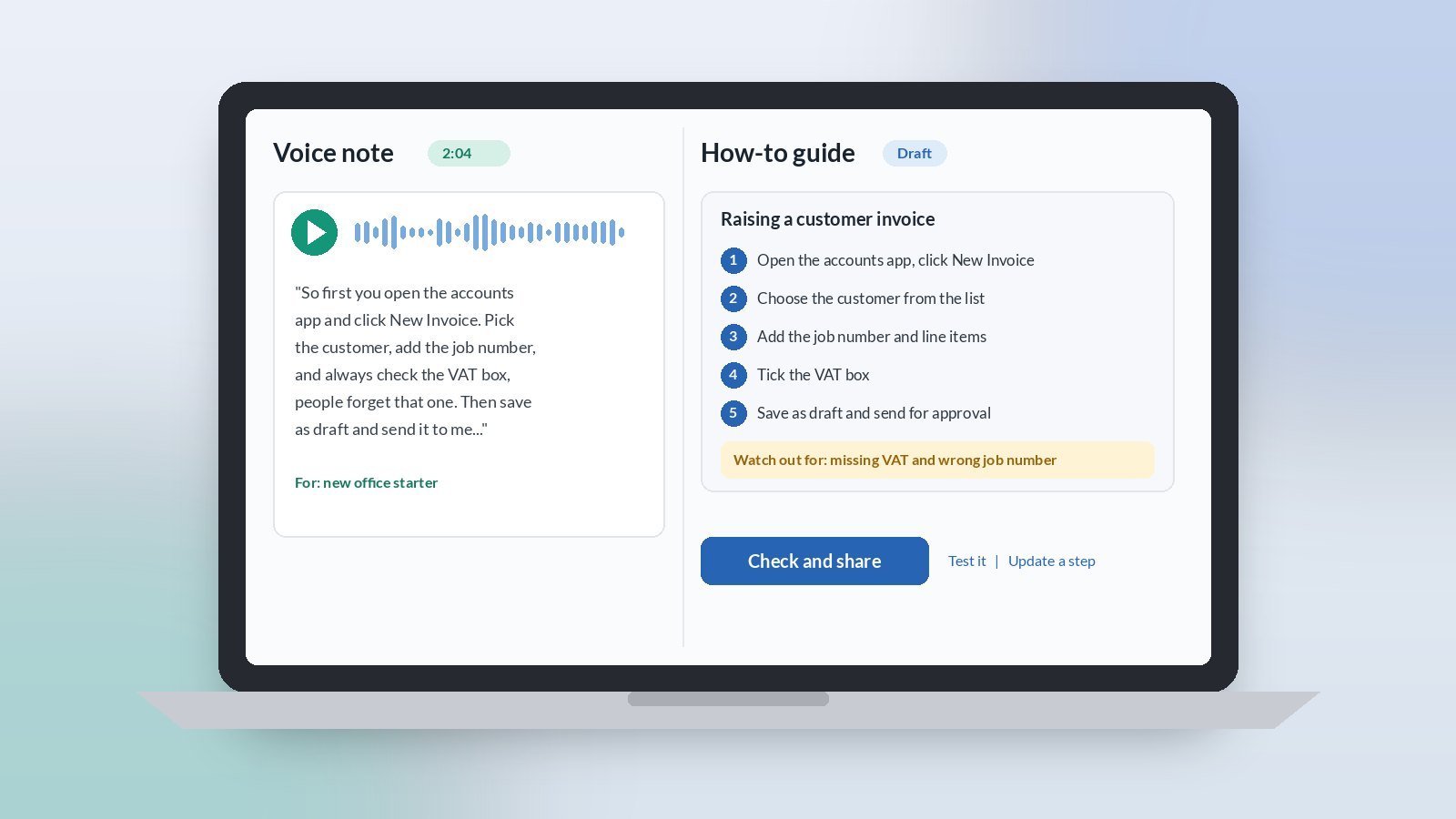
    AI for staff how-to guides is a practical win for owner-led UK SMEs. The know-how for everyday jobs often lives in one person’s head, so every new starter or holiday cover means the same questions again. A light AI assist can turn a two-minute voice note into a clear, step-by-step guide your team can follow. You read it, fix anything that is not right, and share it the same day.

    For small firms in Scotland and across the UK, this is not about a thick manual. It is about the five or six jobs people ask you about most, written down once in plain English.

    Why use AI to write staff how-to guides?

    Because you already know how the job is done. What stops you writing it down is the blank page and the time it takes to put the steps in order. AI is good at that part. You talk it through as if you were showing someone, and the tool turns it into numbered steps, a short list of what you need, and the common mistakes to avoid.

    Which jobs should you write up first?

    Start with the jobs that cause the most interruptions. Good first picks are things like:

    • Raising an invoice or a purchase order in your system
    • Booking a job into the diary and confirming it with the customer
    • Opening up or locking up the office or yard
    • Setting up a new customer or supplier
    • Ordering materials from your usual merchant

    If you are not sure which jobs take the time, our guide to mapping where the week goes helps you spot them before you start.

    What does AI need to write a good how-to guide?

    Keep the input simple:

    1. A walk-through. Do the job once and talk through each step out loud, or record a voice note straight after. Mention the screens, buttons or places you use.
    2. The gotchas. The two or three things people usually get wrong, and what happens when they do.
    3. Who it is for. A new starter, an office assistant, or someone covering for a week. This sets the level of detail.

    Then ask for a short guide with a one-line purpose, numbered steps, a “you will need” list and a “watch out for” section. If talking is easier than typing, our guide to speech-to-text for busy SME owners shows how to dictate it between jobs.

    What should you check before you share it?

    • The order. Follow the steps yourself, or ask someone new to try them while you watch. Gaps show up fast.
    • Anything invented. AI can fill a gap with a step that sounds right but is not how you work. Delete it.
    • Passwords and personal data. Never paste logins, bank details or customer information into the tool, and keep them out of the guide.
    • Length. One screen or one page is plenty. If it runs longer, it is probably two jobs.
    • Where it lives. Save it somewhere the team already looks, such as a shared folder or your team chat, not a new system.

    How do you keep the guides up to date?

    Put a name and date at the bottom of each guide. When someone spots a step that has changed, they tell the owner, who records a quick voice note and asks the tool to update that step only. That takes a couple of minutes and stops guides quietly going out of date.

    How should you trial it?

    For the next month, write up one job a week. Record the walk-through, let the tool draft the guide, have someone else test it, then share it. By the end of the month you have four guides and fewer repeat questions.

    Signs it is working: people check the guide before they ask you, and new starters get going faster. Signs it is not: guides are long and nobody opens them. The fix is usually shorter guides on fewer jobs, not a different tool.

    Want help picking the right first jobs for AI?

    Accendo Intelligence runs a half-day AI Efficiency Workshop for owner-led firms, from £625 for a small group (typically 3 to 5 people). We map where your week goes, pick the first admin jobs worth a light AI assist, and leave you with a short, ordered plan. Scotland first, UK-wide remote. No tool roundup and no strategy theatre.

    This week, notice the question you get asked most often. Talk it through once into your phone. That is most of the guide done.

  • AI for Google Review Replies: A Guide for UK SMEs

    AI for Google Review Replies: A Guide for UK SMEs

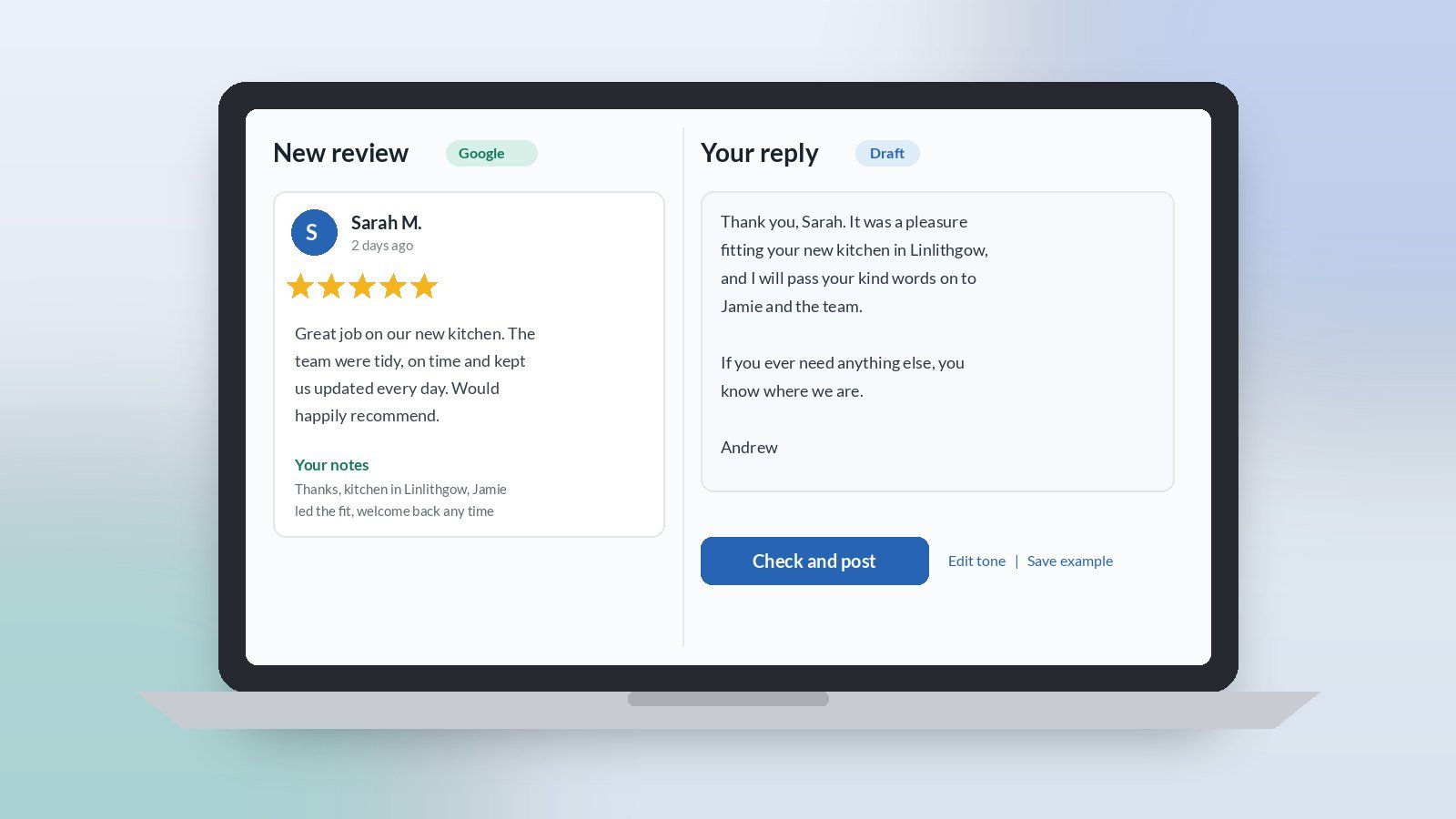
    AI for Google review replies is one of the easiest practical wins for owner-led UK SMEs. Reviews arrive at awkward times, and a thoughtful reply often waits until the moment has passed. A light AI assist can turn three quick notes into a warm, specific reply in your own voice. You read it, fix anything that is not right, and post it the same day.

    For small firms in Scotland and across the UK, a short, genuine reply shows people the business is run by someone who cares. It does not need to be clever. It needs to be prompt, polite and real.

    Why use AI to reply to Google reviews?

    Because the hard part is finding the words, not knowing what you want to say. You already know the customer and the job. What takes the time is writing something that does not sound copied and pasted. A first draft removes that friction, and you stay in charge of every word that goes out under your business name.

    What does AI need to write a good review reply?

    Keep it to three notes:

    1. What the review said. Paste the review text, or sum it up in a line.
    2. One real detail. Something specific about the job, such as the kitchen fitted last month or the team member who helped. This is what stops a reply sounding generic.
    3. What you want to say. A thank you, an apology, an offer to put something right, or an invitation to get in touch.

    Then ask for a short reply in plain English, signed off with your first name. If talking is quicker than typing, our guide to speech-to-text for busy SME owners shows how to dictate the notes between jobs.

    How do you reply to a negative review with AI?

    Slowly, and with you firmly in charge. Write your notes when you have calmed down, not in the first ten minutes. Ask for a reply that thanks them for the feedback, acknowledges the problem without arguing, and offers a clear next step, such as a phone number or email to sort it out privately.

    Then read the draft as if you were the customer. Cut anything defensive. Never let the reply admit fault you do not accept, make promises you cannot keep, or go into detail about the job in public.

    What should you check before a reply goes live?

    • The facts. Make sure the detail it mentions is right. A reply that gets the job wrong is worse than no reply.
    • Your voice. Remove anything that sounds like a big corporate, such as “we value your feedback” repeated in every reply. Vary the openings.
    • Personal data. Do not add the customer’s address, job value or anything they did not mention themselves. Check your AI tool’s data settings before you paste reviews in.
    • Length. Two to four sentences is usually enough. People skim replies.
    • The ask. If you invite contact, give one clear route.

    Can AI help you get more reviews in the first place?

    Yes, for the wording. It can draft a short, friendly message to send when a job is finished, asking happy customers to leave a review and including your review link. Keep it honest and simple, and ask everyone the same way rather than picking only the customers you expect to be kind. Our guide to AI for email replies uses the same short-notes method.

    Never use AI to write reviews for your own business or ask anyone to post fake ones. Keep it to replies and requests.

    How should you trial it?

    For the next month, reply to every new review within a day. Write the three notes, let the tool draft the reply, check it against the list above and post it. Save the replies you are happiest with as examples, so the tool learns your tone from your own best work.

    Signs it is working: reviews get a reply the same day, each reply mentions something real, and it takes a couple of minutes. Signs it is not: you rewrite most of it. The fix is usually a better example of your voice, not a different tool.

    Want help picking the right first jobs for AI?

    Accendo Intelligence runs a half-day AI Efficiency Workshop for owner-led firms, from £625 for a small group (typically 3 to 5 people). We map where your week goes, pick the first admin jobs worth a light AI assist, and leave you with a short, ordered plan. Scotland first, UK-wide remote. No tool roundup and no strategy theatre.

    This week, open your Google Business Profile and find the oldest review without a reply. Write three notes. That is most of the reply done.

  • AI for Job Adverts: Clear Vacancies Fast for UK SMEs

    AI for Job Adverts: Clear Vacancies Fast for UK SMEs

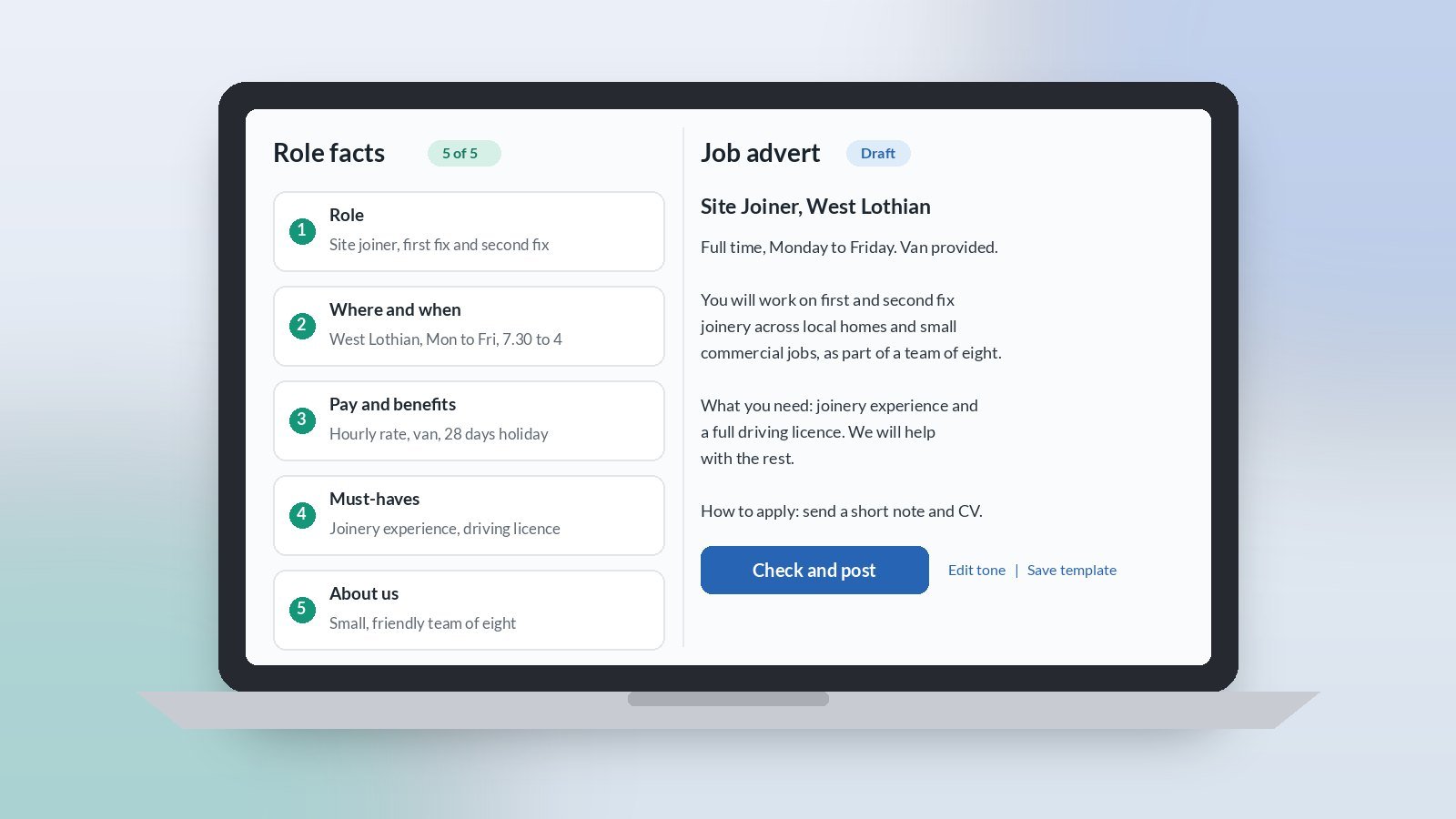
    AI for job adverts is a quick, practical win for owner-led UK SMEs. Writing a vacancy usually gets squeezed into a late evening, so it ends up vague, too long or copied from the last one. A light AI assist can turn five plain facts about the role into a clear, honest first draft in your own tone. You check it, fix anything that is not right, and post it the same day.

    For small firms in Scotland and across the UK, a clear advert matters more than a clever one. The right people need to see quickly what the job is, where it is and what it pays.

    Why use AI to write a job advert?

    Because the hard part is the blank page, not the facts. You already know what the job involves. What takes the time is turning that into something short, readable and fair. A first draft removes that friction, and you stay in charge of every word that goes out.

    What does AI need to write a job advert?

    Keep it to five facts:

    1. The role. Job title, and what a normal week actually looks like.
    2. Where and when. Location, hours, and whether there is any home or hybrid working.
    3. Pay and benefits. The real salary or rate and the main benefits. Adverts with clear pay are easier to act on.
    4. Must-haves. Only the skills, tickets or licences the job genuinely needs. Keep the list short.
    5. About you. Two or three honest lines about the business and the team.

    Then ask for a short advert in plain English with a clear way to apply. If talking is quicker than typing, our guide to speech-to-text for busy SME owners shows how to dictate the facts on the way back from a job.

    How do you keep the advert sounding like your business?

    Give the tool one example of your own writing, such as a past advert you liked or a page from your website, and ask it to match the tone. Then cut anything that sounds like a big corporate. Phrases like “fast-paced environment” and “rockstar” say nothing about your job. A plain description of a real week says a lot.

    What should you check before the advert goes live?

    • Pay, hours and location. These must match what you will actually offer. Never let the draft round them up.
    • Fair wording. Read it for anything that could put people off unfairly, such as references to age, being “young and energetic” or a “native” speaker. If you are unsure about a requirement, take advice from your HR adviser or ACAS guidance.
    • The must-haves list. Remove anything that is a nice-to-have. A long list puts off good people who could learn the rest.
    • How to apply. One clear route and a closing date if you have one.
    • Personal data. Do not paste in details about current staff or past candidates. Check your tool’s data settings before you start.

    Can AI help with the rest of hiring?

    Yes, for the wording jobs around it. It can draft a short reply to applicants, a set of interview questions based on the must-haves, and a polite “not this time” email. Our guide to AI for email replies uses the same short-notes method.

    Keep the decisions with people. Do not let a tool shortlist or reject candidates for you. You know what a good fit looks like for your team.

    How should you trial it?

    Next time you hire, time yourself. Write the five facts, let the tool draft the advert, check it against the list above and post it. Save the final version as your template, so the next advert starts from your own best work rather than a blank page.

    Signs it is working: the advert goes out within a day of deciding to hire, it reads like you, and applicants ask fewer basic questions. Signs it is not: you rewrite most of it. The fix is usually a better example of your tone, not a different tool.

    Want help picking the right first jobs for AI?

    Accendo Intelligence runs a half-day AI Efficiency Workshop for owner-led firms, from £625 for a small group (typically 3 to 5 people). We map where your week goes, pick the first admin jobs worth a light AI assist, and leave you with a short, ordered plan. Scotland first, UK-wide remote. No tool roundup and no strategy theatre.

    This week, if a vacancy is on your mind, write the five facts down. That is most of the advert done.

  • AI for Invoice Reminders: Chase Payment Without the Dread

    AI for Invoice Reminders: Chase Payment Without the Dread

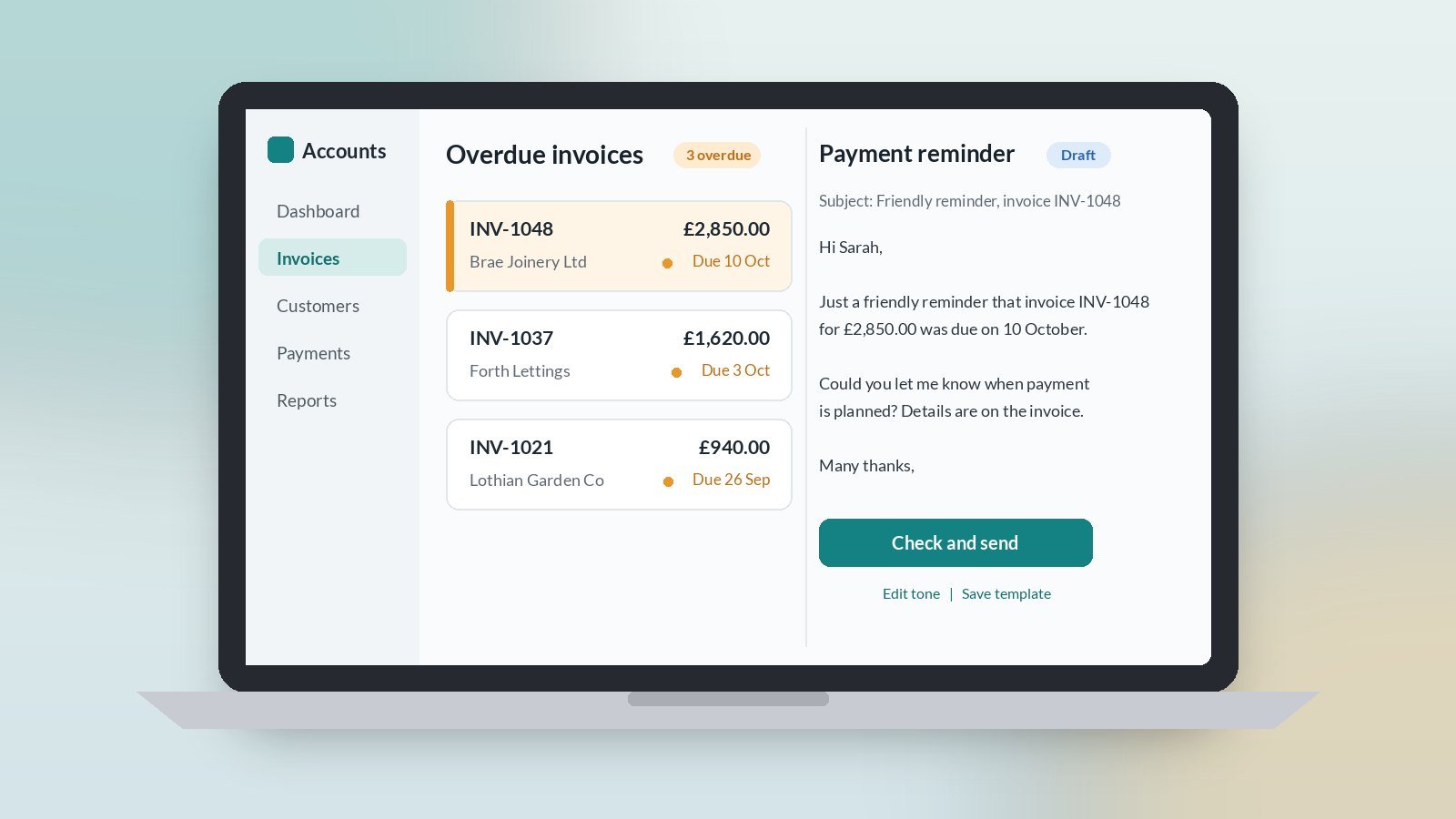
    AI for invoice reminders is a simple, low-risk place to start with practical AI for UK SMEs. Chasing payment is nobody’s favourite job, so it slips. A light AI assist can turn a few facts about an overdue invoice into a polite, firm reminder in your own tone, ready for you to check and send. You keep the relationship and the decisions. The tool just does the wording.

    For owner-led firms in Scotland and across the UK, chasing usually happens late on a Friday, or not at all until cash gets tight.

    Why use AI to chase invoices?

    Because the job repeats, the facts are simple and the hard part is the tone. Too soft and nothing happens. Too sharp and you damage a good customer. Most owners put it off because they do not want to write the email, not because they do not know what to say.

    A first draft in your style removes that friction. You read it, adjust a word or two and send it.

    What does AI need to write a payment reminder?

    Keep it to four facts:

    1. Who and what. Customer name, invoice number and amount.
    2. When it was due. The due date and your payment terms.
    3. Which reminder this is. First nudge, second reminder or final notice.
    4. How to pay. Your usual payment details, copied from your own invoice.

    Then ask for a short email in your normal tone: friendly, clear, one ask, one date. If talking is quicker than typing, our guide to speech-to-text for busy SME owners shows how to dictate the facts.

    How do you get the tone right at each stage?

    Write three short example emails once, and save them as your templates:

    • First nudge. A friendly note a few days after the due date. Assume it has been missed, not ignored.
    • Second reminder. Still polite, a little firmer, with a clear date to pay by.
    • Final notice. Calm and factual. State what happens next under your terms.

    Each time, give the tool the right example plus the four facts and ask it to match. Your reminders then sound like you, every time, whoever sends them.

    What should you check before a reminder goes out?

    • The invoice is really overdue. Check your bank first. Chasing a customer who has already paid is the quickest way to annoy them.
    • Numbers and dates. Invoice number, amount and due date must match your accounts exactly.
    • Payment details. Copy them from your own invoice, never from the draft.
    • Anything about late fees or next steps. Only include what your own terms actually say. If you are unsure, leave it out and take advice.
    • Customer data. Share only what the draft needs, and check your tool’s data settings before you start.

    Should AI decide who to chase?

    No. You know which customers are slow but reliable, which ones are in a dispute, and which relationship needs a phone call instead of an email. Keep that judgement. Use the tool for the words, not the decision.

    The same approach works for other awkward emails too. Our guide to AI for email replies uses the same short-notes method.

    How long should you trial it?

    Four weeks, one person, one weekly slot. Pick a regular time, check what is overdue, and send the reminders that day. At the end of week four, decide: keep, tweak or drop.

    Signs it is working: reminders go out on the same day each week, they sound like you, and chasing no longer hangs over Friday afternoon. Signs it is not: you rewrite most drafts, or reminders still sit unsent. The fix is usually better example emails and a fixed weekly slot, not a different tool.

    Want help picking the right first job?

    Accendo Intelligence runs a half-day AI Efficiency Workshop for owner-led firms, from £625 for a small group (typically 3 to 5 people). We map where your week goes, pick the first admin jobs worth a light AI assist (chasing is often one), and leave you with a short, ordered plan. Scotland first, UK-wide remote. No tool roundup and no strategy theatre.

    This week, pick one overdue invoice, write the four facts, let the tool draft the reminder, check it and send it.

  • AI for Quotes: Faster First Drafts for UK Small Businesses

    AI for Quotes: Faster First Drafts for UK Small Businesses

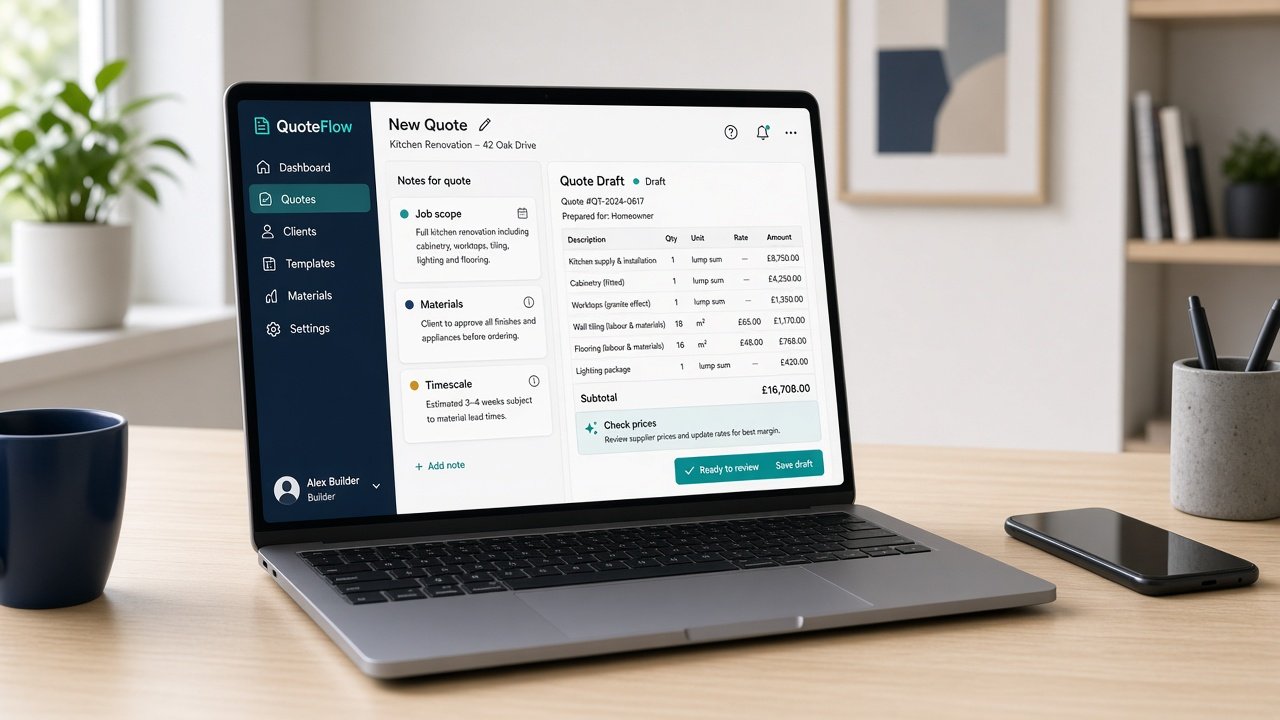
    AI for quotes is one of the most useful places to start with practical AI for UK small businesses. Pricing the job is the skilled part, and it stays with you. The slow part is turning your site notes into a tidy written quote with a clear scope, sensible wording and the right exclusions. A light AI assist can turn three short notes into a first draft in minutes, so the quote goes out while the customer is still keen.

    For owner-led firms in Scotland and across the UK, quotes often get written in the evening or at the weekend. Some go out late. Some never go out at all.

    Why start with quotes?

    Because the job repeats, the format barely changes, and slow quotes cost work. A customer who asked three firms will often go with the one that replied first and clearly.

    It is also easy to check. You know the job, you set the price, and you will spot a wrong line or a missing exclusion straight away.

    What notes does AI need to draft a quote?

    Keep it to three short notes, typed or spoken straight after the visit:

    1. Scope. What you will do, in plain words.
    2. Materials and access. Anything the customer supplies, anything you need on site.
    3. Timescale. When you could start and roughly how long it takes.

    Then ask for a quote in your usual layout: a short opening line, the scope as bullet points, what is not included, timescale, payment terms and how to accept. If talking is quicker than typing, we wrote about speech-to-text for busy SME owners.

    Should AI work out the price?

    No. Put the prices in yourself, from your own rates and supplier costs. AI tools are good at wording and layout. They are not reliable with your margins, current material costs or what this particular job will really take.

    A simple rule works well: the tool writes the words, you write the numbers.

    How do you keep every quote consistent?

    Save one good quote you are happy with as your example. Each time, give the tool that example plus your three new notes and ask it to match the layout and tone. Over a few weeks you build a small set of standard wording for scope, exclusions and terms that you trust.

    That set is worth more than any clever prompt. It means a new starter or a busy week does not change how your quotes look.

    What should you check before a quote goes out?

    • Every price and total. Check the sums yourself. Never send a total you have not added up.
    • Scope and exclusions. AI tools sometimes add work you did not mention. If it was not in your notes, take it out.
    • Dates and terms. Make sure the start date, validity period and payment terms are yours, not a guess.
    • Customer details. Share only what the draft needs, and check your tool’s data settings before you start.

    Once the quote is ready, the covering email is a quick job too. Our guide to AI for email replies uses the same three-note approach.

    How long should you trial it?

    Four weeks, one person, one type of job. Before you start, note roughly how long a typical quote takes and how many are waiting. At the end of week four, look again and decide: keep, tweak or drop.

    Signs it is working: quotes go out within a day or two of the visit, they look the same every time, and the evening backlog shrinks. Signs it is not: you rewrite most drafts, or the tool keeps adding things you never said. The fix is usually a better example quote and clearer notes, not a different tool.

    Want help picking the right first job?

    Accendo Intelligence runs a half-day AI Efficiency Workshop for owner-led firms, from £625 for a small group (typically 3 to 5 people). We map where your week goes, pick the first admin jobs worth a light AI assist (quotes are often one), and leave you with a short, ordered plan. Scotland first, UK-wide remote. No tool roundup and no strategy theatre.

    After your next site visit, write three notes, let the tool draft the words, put in your own prices, and send the quote that week.

  • AI Meeting Notes for UK SMEs: From Call to Follow-Up

    AI Meeting Notes for UK SMEs: From Call to Follow-Up

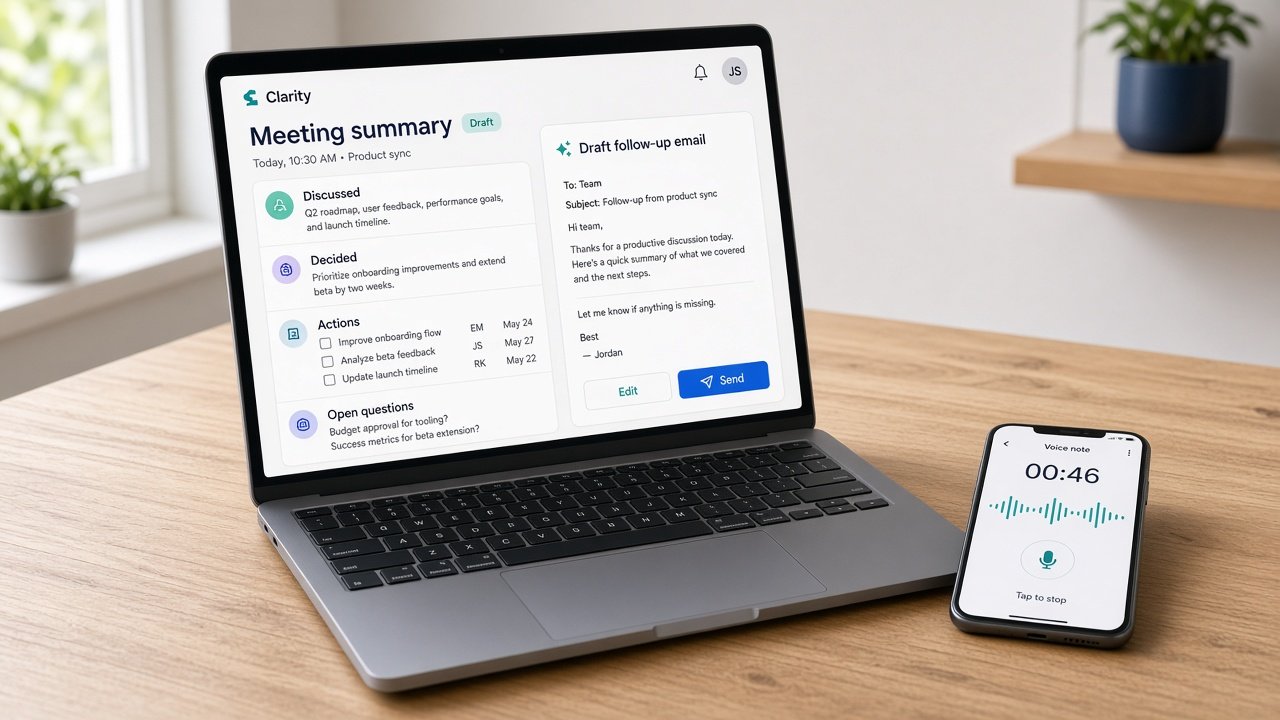
    AI meeting notes are one of the simplest wins in practical AI for UK SMEs. The call is not the slow part. The slow part is what comes after: writing up who agreed what, sending the follow-up, and remembering the actions a week later. A light AI assist can turn a short voice note or a transcript into a clean summary and a draft follow-up email in minutes, while you stay in charge of what gets sent.

    For owner-led firms in Scotland and across the UK, that after-call admin is easy to put off. Then the follow-up goes out late, or not at all, and the next call starts with “where did we get to?”

    Why start with meeting notes and follow-ups?

    Because the job repeats every week, the facts are fresh, and the output is easy to check. You were on the call. You will spot a wrong action or a made-up date straight away.

    It also fixes a real gap. Most small teams do not lack meetings. They lack a reliable written record of what was decided and who is doing what next.

    What does a good AI meeting summary look like?

    Keep it short and the same shape every time. Four headings are enough:

    1. What we discussed (three or four lines, no more)
    2. What we decided
    3. Actions, each with an owner and a date
    4. Open questions to answer before next time

    If a summary runs longer than a screen on your phone, ask for a shorter one. Nobody reads a wall of minutes from a 30 minute call.

    How do you get the notes in the first place?

    There are two easy routes, and neither needs new software across the whole business:

    • Talk it out after the call. Spend two minutes speaking your notes into your phone or a speech-to-text tool while you remember them. Then ask for the four-heading summary. We wrote about speech-to-text for busy SME owners if typing is the bottleneck.
    • Use the transcript you already have. Many video call tools can produce a transcript. Only record or transcribe with everyone’s agreement, and tell people at the start.

    The voice note route is often better for small firms. It is quicker, it captures what mattered to you, and it avoids recording conversations that should not be recorded.

    How do you turn the summary into a follow-up email?

    Ask for a short email to the other person based on the summary: thanks for the time, what was agreed, their actions, your actions, and the next step. Then edit it in your own voice and send it the same day.

    That same-day follow-up is where most of the value sits. It shows the customer or supplier you were listening, and it puts the actions in writing while everyone still agrees on them.

    What should you check before anything goes out?

    • Actions and dates. AI tools sometimes fill gaps. If an action or deadline was not agreed, take it out.
    • Names and numbers. Prices, quantities and spellings need a human check every time.
    • Sensitive conversations. Staff matters, disputes and anything confidential stay out of the tool. Write those notes yourself.
    • Your data rules. Check your tool’s settings and what you are comfortable sharing before you start.

    Treat the draft like notes from a helpful new starter. Quick and useful, and always read before it leaves the building.

    How long should you trial it?

    Four weeks, one person, one type of meeting. Customer calls or weekly supplier check-ins work well. Before you start, note how often follow-ups go out late or get missed. At the end of week four, look again and decide: keep, tweak or drop.

    Signs it is working: follow-ups go out the same day, actions stop slipping, and the next meeting starts from the notes instead of from memory. Signs it is not: you rewrite most summaries, or the tool adds things nobody said. The fix is usually a clearer voice note and a fixed four-heading format, not a different tool.

    Want help picking the right first job?

    Accendo Intelligence runs a half-day AI Efficiency Workshop for owner-led firms, from £625 for a small group (typically 3 to 5 people). We map where your week goes, pick the first admin jobs worth a light AI assist (meeting follow-ups are often one), and leave you with a short, ordered plan. Scotland first, UK-wide remote. No tool roundup and no strategy theatre.

    After your next call, speak two minutes of notes, ask for four headings, and send the follow-up before the end of the day.

  • AI for Email Replies: A Practical Guide for UK SMEs

    AI for Email Replies: A Practical Guide for UK SMEs

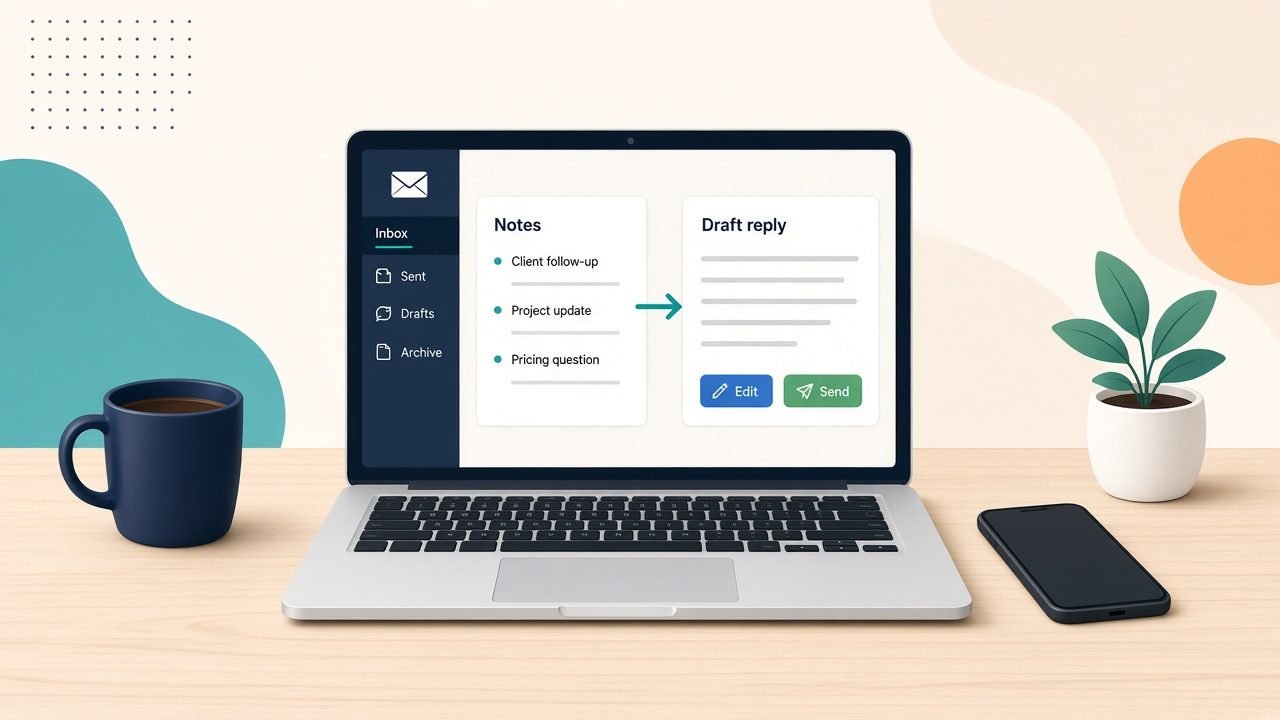
    AI for email replies is the easiest place for most UK SMEs to start with practical AI. Not because the tools are clever, but because the job repeats every day, you already know the answers, and you still press send. Write three bullet notes, let a tool draft the reply, edit it in your own voice, and send. That is the whole method.

    Owner-led firms in Scotland (and across the UK) lose hours to the inbox. Not to the hard emails. To the same handful of answers written from scratch, again and again.

    Why start with email replies?

    Because the risk is low and the feedback is quick. You read every draft before it goes out. You can tell within a week whether it saves time or just adds a step.

    Email replies also show you where the real friction sits. If a draft is wrong, it is usually because the facts live in someone’s head, not because the tool failed.

    Which emails should AI help with first?

    Pick the replies you write most often and dread least. Good candidates:

    • Enquiries asking about price, availability or how you work
    • Booking, rescheduling and confirming appointments
    • Polite chasers for quotes, payments or decisions
    • Follow-ups after a call or a site visit
    • Supplier questions that need the same three facts each time

    Leave out anything sensitive, angry or legal. A complaint, a dispute or a staff matter needs you, not a draft.

    How do you get drafts that sound like you?

    Give the tool your answers, not a blank page. Before the trial, write down:

    1. Your five most common replies, in your own words
    2. The facts they rely on (prices you are happy to share, lead times, opening hours, what you need from the customer)
    3. A few lines on tone: how you greet people, how formal you are, how you sign off

    Then, for each email, jot three bullets: what they asked, what the answer is, and what happens next. Ask for a short reply in your tone. Edit, then send.

    The bullets matter more than the tool. If you cannot write the three bullets, the email needs thinking, not drafting.

    What should you never hand over?

    • Sending. A person reads and sends every client-facing reply.
    • New promises. If a draft adds a date, a discount or a guarantee you did not give it, delete it.
    • Private details you would not paste into a shared document. Check your tool’s settings and your own data rules before you start.

    Treat every draft like a message from a new starter. Helpful, quick, and checked before it leaves the building.

    How long should the trial run?

    Four weeks, one inbox, one person. Before you start, note roughly how long replies take you in a normal week and which ones you put off. At the end of week four, look again and decide: keep, tweak or drop.

    Signs it is working: fewer emails sitting overnight, less rewriting of the same answer, and replies you are happy to send with light edits. Signs it is not: you rewrite most drafts, or you spend longer prompting than typing.

    If it works, add the next common reply type. If it does not, the fix is usually better notes and clearer answers, not a different tool.

    Want help setting this up?

    Accendo Intelligence runs a half-day AI Efficiency Workshop for owner-led firms, from £625 for a small group (typically 3 to 5 people). We map where your week goes, pick the first admin jobs worth a light AI assist (email replies are often one), and leave you with a short, ordered plan. Scotland first, UK-wide remote. No tool roundup and no strategy theatre.

    Start with the replies you write every week. Three bullets, one draft, your edit, your send.

  • Pick One Admin Job for AI This Month (UK SMEs)

    Pick One Admin Job for AI This Month (UK SMEs)

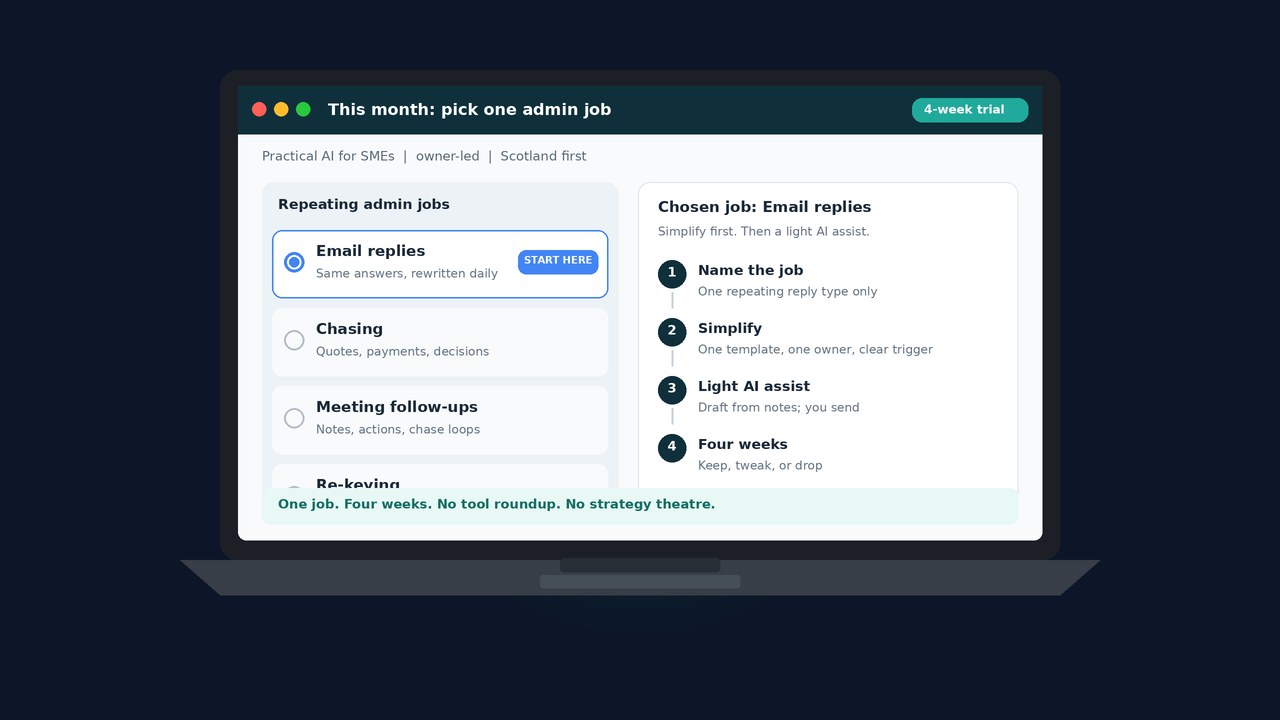
    Practical AI for SMEs does not start with a tool shortlist. It starts with one repeating admin job you will actually change this month. Email replies, chasing, meeting follow-ups, or re-keying. Pick one. Simplify it. Then try a light AI assist for four weeks.

    Owner-led firms in Scotland (and across the UK) stall after they map the week. The map shows the noise. The hard part is choosing where to start.

    Why do owners stall after mapping the week?

    Because the map makes everything look urgent. Inbox. Chases. Notes. Copying the same fact into three places. Buying five tools at once feels productive. It rarely is.

    You do not need an AI programme. You need one named job with a clear owner and a date you will check whether it got easier.

    Which admin job should you pick first?

    Choose work that repeats every week, that you already understand, and that one person can own. Prefer a job where a draft, a summary, or a cleaner first pass would help, and where a human still decides what goes out.

    Four common candidates:

    Email replies. Same three answers, rewritten from scratch. Good first pick if your week vanishes into the inbox.

    Chasing. Quotes, payments, or decisions that sit until Friday. Good if follow-up has no owner and no next step.

    Meeting follow-ups. Notes written, rewritten, then chased. Good if calls create more admin than decisions.

    Re-keying. Numbers and facts pasted between tools. Good if the same detail lives in a spreadsheet, a quote, and a message.

    If two look equal, pick the one that happens most often and that you can simplify without a new system. Drop anything that exists only because “we have always done it.”

    How do you simplify before you add AI?

    Name the job in one line. Who triggers it. Who finishes it. What “done” looks like.

    Then strip noise:

    • One template instead of a blank page every time
    • One place the fact lives
    • One person who owns the chase
    • One trigger (a call ends, a quote goes out, a payment is late)

    Do not automate a mess. AI for admin pays when the work is already clear enough that a draft can help. If the process is muddy, fix the mud first.

    What does a light AI assist look like for four weeks?

    Keep the tool thin. You are not rebuilding the business.

    Examples that stay light:

    • Draft a reply from three bullet notes, then you edit and send
    • Turn a rough call note into actions and a short follow-up
    • Suggest the next chase message from the last email thread
    • Pull key facts from one source so you stop retyping them

    Rules for the trial:

    1. One job only for four weeks
    2. Same person uses it every week
    3. You still approve anything client-facing
    4. At the end of week four, decide: keep, tweak, or drop

    If you cannot say what you will stop doing when it works, you are not ready to buy seats. You are still guessing.

    How will you know it worked?

    Keep a short note, not a dashboard. For the chosen job, jot time spent and friction before the trial, then again after four weeks. Ask:

    • Did drafts get out faster without more mistakes?
    • Did chasing need fewer reminders?
    • Did re-keying shrink, or just move?
    • Would you keep paying for this next month?

    That is enough. Practical AI for small business Scotland (and UK-wide) is measured in a clearer week, not in a strategy slide.

    What if you want help choosing the first job?

    If you would rather not do this alone, Accendo Intelligence runs a half-day AI Efficiency Workshop for owner-led firms. From £625 for a small room (typically 3 to 5 people). We map where the week goes, pick the first admin jobs worth a light assist, and leave you with a short ordered list. Scotland first, UK-wide remote. No tool roundup. No strategy theatre.

    Pick one job this month. Simplify it. Trial a light assist for four weeks. That is how AI for admin earns its place.

  • Where Does the Week Go? Map Your Admin Before You Buy AI

    Where Does the Week Go? Map Your Admin Before You Buy AI

    Most owner-led firms do not need another AI tool first. They need a clear map of where Monday to Friday actually goes. Email, chasing, copying the same facts between systems, and meeting follow-ups eat the week long before strategy decks or new subscriptions help.

    If you cannot point to the hours, you will buy for the wrong jobs.

    Why does AI for admin fail so often?

    Because people start with a product page. A chatbot demo. A promise that “busy teams like yours” will reclaim their Fridays. Then they go back to the inbox and nothing has moved.

    AI for admin only pays off when you know which admin is real. An owner-led SME in Scotland (or anywhere in the UK) still feels the week in their own diary. The Monday that vanishes into replies. The Wednesday spent chasing a quote. The Thursday spent pasting numbers from one screen into another.

    That is not a technology gap. It is a visibility gap. Fix the map first.

    What does a weekly admin map look like?

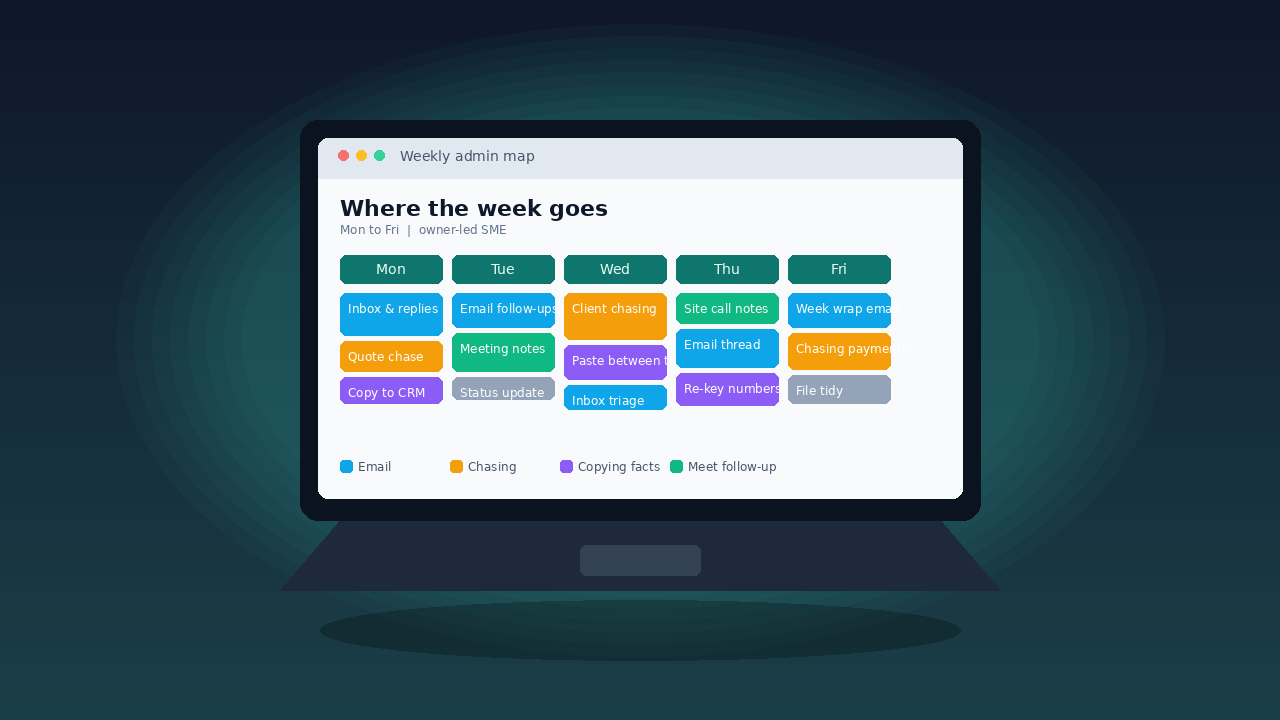
    Keep it ugly and honest. One page, five columns, Mon to Fri. For each day, write what you (and the people who actually do the work) spent time on:

    • Inbox and replies
    • Chasing quotes, payments, or decisions
    • Copying or re-keying facts between tools
    • Meeting notes and follow-ups
    • Reports, forms, and “just in case” admin

    Do this for a normal week, not a quiet week. Use the real inbox and the real diary. No fancy software. A whiteboard or a shared note is enough.

    You are not scoring yourself. You are naming the work.

    Where does the week usually go?

    For most small businesses the pattern is familiar. A few threads dominate:

    Email that should have been a short template. Same three answers, rewritten every time.

    Chasing that should have been a clearer next step. Nobody owns the follow-up, so it sits until Friday.

    Copying that should have been one source of truth. A number lives in a spreadsheet, a quote, and a message. Someone types it twice.

    Meetings that create more admin than decisions. Notes get written, then rewritten, then chased.

    Practical AI for UK SMEs starts when you can say which of those four is the loudest. Until then, every tool is a guess.

    Should you buy AI before you map the week?

    No. Buy after.

    Mapping takes an afternoon. Buying without a map costs months of unused seats and another login nobody wants. When you finally sit down with a shortlist, you can ask sharper questions:

    • Does this remove a named block on the map?
    • Who will use it in the next four weeks?
    • What will we stop doing if it works?
    • How will we know, in a month, that it saved time?

    If a vendor cannot answer against your map, walk away. You do not need an AI strategy document. You need a smaller, clearer week.

    How do you turn the map into the next step?

    Circle one or two blocks that hurt most. Prefer work that repeats every week and that you already understand. Drop anything that exists only because “we have always done it.”

    Then simplify before you automate. One list instead of three. One place the fact lives. One person who owns the chase. Only after that look at a tool that can draft, summarise, or move data.

    That order matters. AI for small business Scotland (and across the UK) works best when it sits on clean work, not on a mess with a new interface.

    What if you want a guided pass?

    If you would rather not do this alone, Accendo Intelligence runs a half-day AI Efficiency Workshop for owner-led firms. We map where the week goes, separate messy process from jobs a tool can take, and leave you with a short ordered list. Scotland first, UK-wide remote. No strategy theatre.

    Map first. Buy second. That is how AI for admin earns its place in a real week.