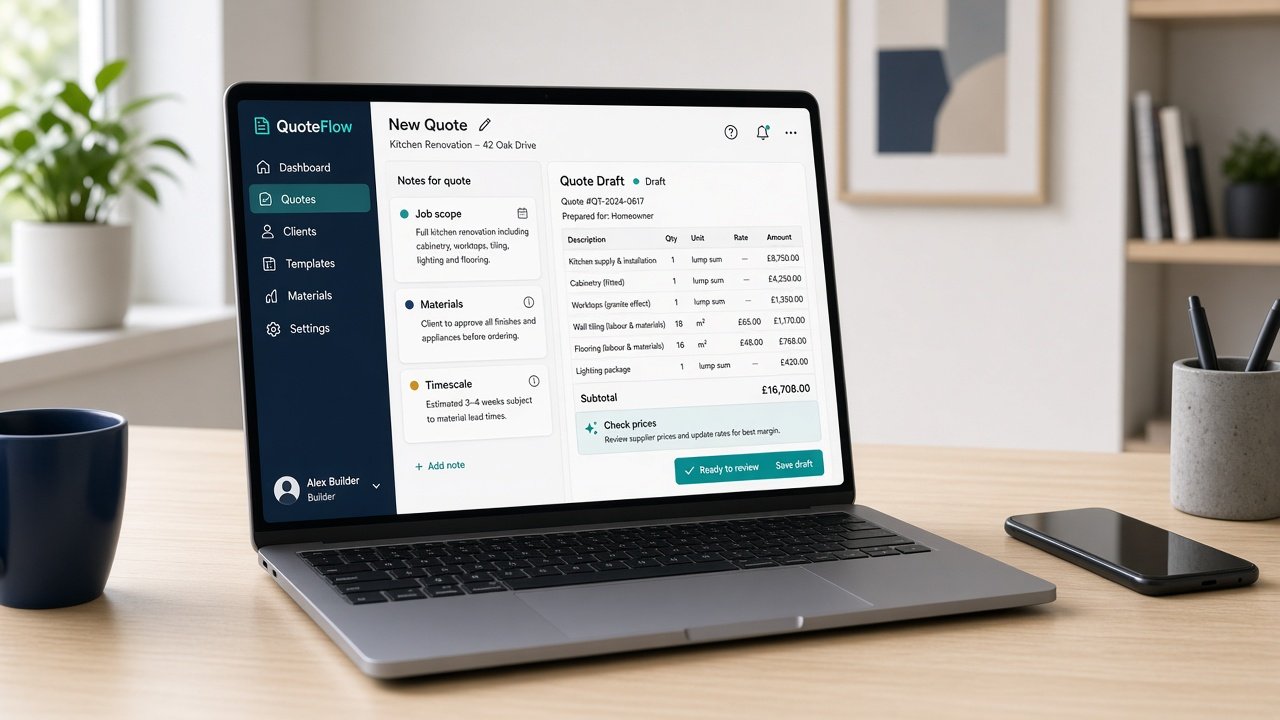
AI for quotes is one of the most useful places to start with practical AI for UK small businesses. Pricing the job is the skilled part, and it stays with you. The slow part is turning your site notes into a tidy written quote with a clear scope, sensible wording and the right exclusions. A light AI assist can turn three short notes into a first draft in minutes, so the quote goes out while the customer is still keen.
For owner-led firms in Scotland and across the UK, quotes often get written in the evening or at the weekend. Some go out late. Some never go out at all.
Why start with quotes?
Because the job repeats, the format barely changes, and slow quotes cost work. A customer who asked three firms will often go with the one that replied first and clearly.
It is also easy to check. You know the job, you set the price, and you will spot a wrong line or a missing exclusion straight away.
What notes does AI need to draft a quote?
Keep it to three short notes, typed or spoken straight after the visit:
- Scope. What you will do, in plain words.
- Materials and access. Anything the customer supplies, anything you need on site.
- Timescale. When you could start and roughly how long it takes.
Then ask for a quote in your usual layout: a short opening line, the scope as bullet points, what is not included, timescale, payment terms and how to accept. If talking is quicker than typing, we wrote about speech-to-text for busy SME owners.
Should AI work out the price?
No. Put the prices in yourself, from your own rates and supplier costs. AI tools are good at wording and layout. They are not reliable with your margins, current material costs or what this particular job will really take.
A simple rule works well: the tool writes the words, you write the numbers.
How do you keep every quote consistent?
Save one good quote you are happy with as your example. Each time, give the tool that example plus your three new notes and ask it to match the layout and tone. Over a few weeks you build a small set of standard wording for scope, exclusions and terms that you trust.
That set is worth more than any clever prompt. It means a new starter or a busy week does not change how your quotes look.
What should you check before a quote goes out?
- Every price and total. Check the sums yourself. Never send a total you have not added up.
- Scope and exclusions. AI tools sometimes add work you did not mention. If it was not in your notes, take it out.
- Dates and terms. Make sure the start date, validity period and payment terms are yours, not a guess.
- Customer details. Share only what the draft needs, and check your tool’s data settings before you start.
Once the quote is ready, the covering email is a quick job too. Our guide to AI for email replies uses the same three-note approach.
How long should you trial it?
Four weeks, one person, one type of job. Before you start, note roughly how long a typical quote takes and how many are waiting. At the end of week four, look again and decide: keep, tweak or drop.
Signs it is working: quotes go out within a day or two of the visit, they look the same every time, and the evening backlog shrinks. Signs it is not: you rewrite most drafts, or the tool keeps adding things you never said. The fix is usually a better example quote and clearer notes, not a different tool.
Want help picking the right first job?
Accendo Intelligence runs a half-day AI Efficiency Workshop for owner-led firms, from £625 for a small group (typically 3 to 5 people). We map where your week goes, pick the first admin jobs worth a light AI assist (quotes are often one), and leave you with a short, ordered plan. Scotland first, UK-wide remote. No tool roundup and no strategy theatre.
After your next site visit, write three notes, let the tool draft the words, put in your own prices, and send the quote that week.
Leave a Reply